Styler/2: Difference between revisions
Jump to navigation
Jump to search
No edit summary |
|||
| (11 intermediate revisions by 2 users not shown) | |||
| Line 1: | Line 1: | ||
{{Software | |||
Styler/2 is | |Picture=Styler_01.jpg | ||
|Version=1.7.5 (2006-02-12) | |||
|Author=[[Alex Taylor]]<br/>[[Alessandro Cantatore]] | |||
|License=GNU GPL V3 | |||
|Download={{FileLink|Styler2_1-7-4.zip}} + stlr175.zip | |||
}} | |||
'''Styler/2''' is a user interface enhancer for OS/2 Warp 3 and 4. Both the aesthetics and the behaviour of various OS/2 Presentation Manager windows and controls can be easily modified to meet your needs. | |||
You will be able to use bitmaps and shades as | You will be able to use bitmaps and shades as title bar backgrounds, choose any bitmap (of appropriate size) for the window buttons and enable all dialog windows to use your favourite font. | ||
Other features include: | Other features include: | ||
* window rolling, | * window rolling, | ||
* | * title bar hiding, | ||
* overriding the default size and position of maximized windows, | * overriding the default size and position of maximized windows, | ||
* smooth horizontal movement of windows, | * smooth horizontal movement of windows, | ||
| Line 20: | Line 26: | ||
* show drop down lists by pressing the left mouse button in the entry field. | * show drop down lists by pressing the left mouse button in the entry field. | ||
==Gallery== | |||
If you want to see some examples of how Styler/2 can change your desktop, you may have a look at the following images: | If you want to see some examples of how Styler/2 can change your desktop, you may have a look at the following images: | ||
<gallery> | <gallery> | ||
| Line 29: | Line 36: | ||
Styler2_07.gif|A folder with hidden titlebar | Styler2_07.gif|A folder with hidden titlebar | ||
Styler2_08.gif|You can customize dialogs to use any font you like | Styler2_08.gif|You can customize dialogs to use any font you like | ||
Styler2_009.png|Styler/2 Settings | |||
Styler2_010.png|Styler/2 Settings | |||
Styler2_011.png|Styler/2 Settings | |||
Styler2_012.png|Styler/2 Settings | |||
Styler2_013.png|Styler/2 Settings | |||
Styler2_014.png|Styler/2 Settings | |||
</gallery> | </gallery> | ||
==Links== | ==Links== | ||
* | *Source code: [//github.com/OS2World/UTIL-WPS-Styler_2 GitHub Repository] | ||
*[//hobbesarchive.com/?path=%2fpub%2fmultimedia%2fthemes%2fstyler Styler related themes] | |||
* [ | |||
[[Category:Desktop Enhancement]] | [[Category:Desktop Enhancement]] | ||
[[Category:Open Source Software]] | |||
Latest revision as of 21:35, 19 November 2024
| Styler/2 | |
|---|---|

| |
| Version | 1.7.5 (2006-02-12) |
| Vendor | |
| Author | Alex Taylor Alessandro Cantatore |
| License | GNU GPL V3 |
| Download | Styler2_1-7-4.zip + stlr175.zip |
| Website | |
Styler/2 is a user interface enhancer for OS/2 Warp 3 and 4. Both the aesthetics and the behaviour of various OS/2 Presentation Manager windows and controls can be easily modified to meet your needs.
You will be able to use bitmaps and shades as title bar backgrounds, choose any bitmap (of appropriate size) for the window buttons and enable all dialog windows to use your favourite font.
Other features include:
- window rolling,
- title bar hiding,
- overriding the default size and position of maximized windows,
- smooth horizontal movement of windows,
- snap windows to the desktop edges,
- moving a window by dragging its frame,
- pushing windows behind the other windows,
- selection of the entry field contents,
- facilitating clipboard operations via mouse and/or keyboard combinations in entry fields and command windows,
- autofocus,
- mouse pointer hiding,
- mouse button double-click emulation,
- automatically moving the mouse pointer to the focus window.
- show drop down lists by pressing the left mouse button in the entry field.
Gallery
If you want to see some examples of how Styler/2 can change your desktop, you may have a look at the following images:
-
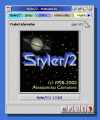 Styler/2 Preferences notebook
 -
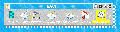 Styler/2 Folder
 -
 A rolled window
 -
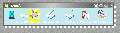 Various settings for the titlebar and the titlebar buttons
 -
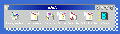 Other titlebar buttons
 -
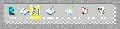 A folder with hidden titlebar
 -
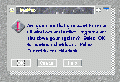 You can customize dialogs to use any font you like
 -
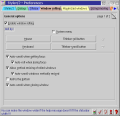 Styler/2 Settings
 -
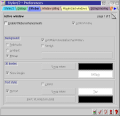 Styler/2 Settings
 -
 Styler/2 Settings
 -
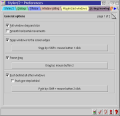 Styler/2 Settings
 -
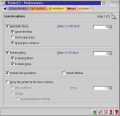 Styler/2 Settings
 -
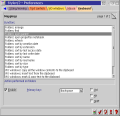 Styler/2 Settings


Links
- Source code: GitHub Repository
- Styler related themes