Taskbar: Difference between revisions
Jump to navigation
Jump to search
No edit summary |
|||
| Line 9: | Line 9: | ||
Taskbar offers a button bar to switch between programs. Push the cursor to the edge of the screen and a slim row of icons depicting your open sessions automatically appears. Click once and bring up the desired program. | Taskbar offers a button bar to switch between programs. Push the cursor to the edge of the screen and a slim row of icons depicting your open sessions automatically appears. Click once and bring up the desired program. | ||
==Screenshots== | |||
<gallery> | |||
File:Tasbar_002.png|Settings notebook | |||
</gallery> | |||
[[Category:Desktop Enhancement]] | [[Category:Desktop Enhancement]] | ||
[[Category:Shareware]] | [[Category:Shareware]] | ||
Revision as of 01:04, 22 November 2020
| Taskbar | |
|---|---|

| |
| Version | 2.62 (Oct 1995) |
| Vendor | |
| Author | Rick Yoder |
| License | Shareware |
| Download | tskbr262.zip |
| Website | |
Taskbar offers a button bar to switch between programs. Push the cursor to the edge of the screen and a slim row of icons depicting your open sessions automatically appears. Click once and bring up the desired program.
Screenshots
-
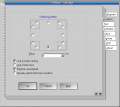 Settings notebook
